
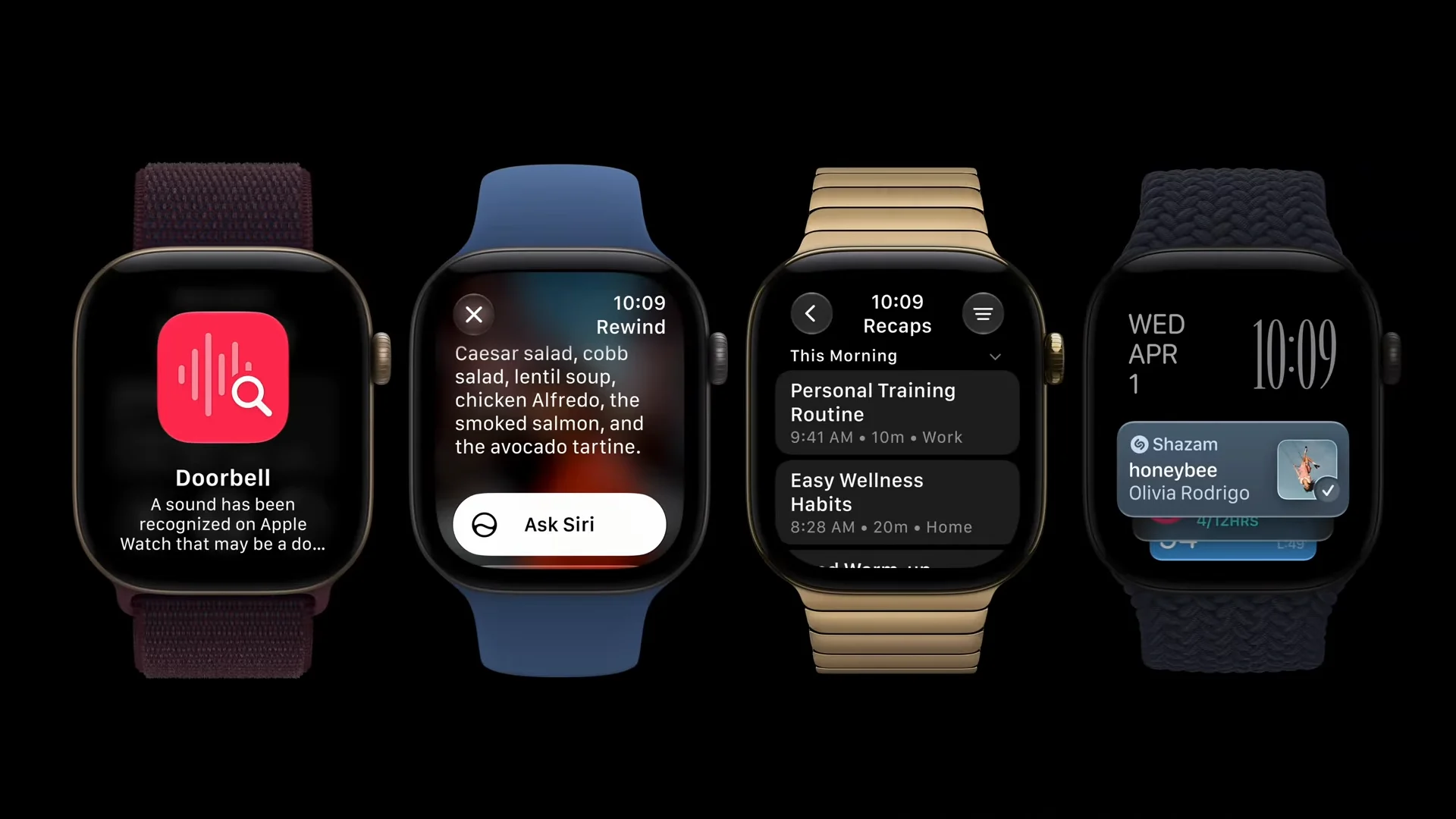
Apple’s new Siri Recap feature on Apple Watch Series 12 and Apple Watch Ultra 4 is one of the company’s most unusual AI features yet. It can listen to conversations around you, create a short summary, and help you remember key points later.
That immediately raises an obvious question: if the watch is always listening, what happens to the audio?
Apple says the answer is that the audio is processed without creating a normal recording. The company has built a dedicated privacy system around its new Audio Intelligence features, including Siri Recap and Live Rewind.
What is Siri Recap on Apple Watch?
Siri Recap is part of Apple’s new Audio Intelligence system. When enabled, it can create a high-level summary of conversations and save the useful points in the Siri app.
Apple says the feature is designed to help users remember meetings, discussions and everyday conversations without needing to manually record them. It does not identify individual speakers, and Apple describes the result as a summary rather than a full transcript.
Users must opt in. Siri Recap can also be scheduled for certain times or turned off directly from Control Center.
Apple says no audio recording is stored
The most important privacy detail is that Apple says Audio Intelligence does not create or store audio recordings.
According to Apple Support, raw audio is sent into a protected buffer inside the Secure Exclave built into the S11 chip. This hardware-isolated area processes the audio separately from the operating system and apps.
Once the audio has been processed, Apple says it is immediately deleted. The operating system, third-party apps, the user and Apple itself cannot access the raw audio.
That is different from a traditional voice recorder, where an audio file exists and can later be opened, copied or shared.
How Secure Exclave protects conversations
Secure Exclave is the key technical layer behind Apple’s privacy claim. Apple describes it as a hardware-isolated compartment that handles sensitive sensor information separately from the rest of the system.
For Siri Recap, this means the raw sound does not need to become a normal file available to watchOS or installed apps. Apple says the protected buffer is continuously processed and overwritten.
The final summary can use Apple Intelligence and Private Cloud Compute when more processing is required. Apple says Private Cloud Compute is designed so that personal data used for a request is not stored or made accessible to Apple.
What happens to Siri Recap summaries?
The finished summary is different from the raw audio. Users can view summaries in the Siri app and decide whether they want to save or delete them.
Apple says saved Siri Recap summaries and Live Rewind text can be end-to-end encrypted when synced through iCloud. MacRumors also reports that unsaved summaries can automatically disappear after seven days.
Apple additionally says Siri Recap is designed to avoid including sensitive details such as financial information or government-issued identifiers.
Live Rewind works differently
Live Rewind is another Audio Intelligence feature. A double press of the Digital Crown can show a text snippet of approximately the previous 15 seconds of conversation.
Apple adds visible and audible signals when Live Rewind is activated, including a chime and on-screen indication. This is intended to make nearby people aware that the feature is being used.
Should Apple Watch users be concerned?
The design is more privacy-focused than simply recording everything around the wearer, but the feature still introduces a new type of always-available ambient AI.
Users should therefore pay attention to where Siri Recap is enabled, especially during confidential meetings, private discussions or conversations involving other people.
For buyers interested in Apple Intelligence, Siri Recap shows how Apple is trying to expand AI beyond the iPhone while keeping more sensitive processing isolated on-device. The real test will be how clearly users understand the controls and how reliably the privacy protections work once the feature reaches more people.
Sources checked: Apple Support, Apple Newsroom, MacRumors, TechCrunch and The Verge.
About the Author

